
How to reorder, search, and filter products in Simple Bundles 2.0
When manually creating bundles, you can search for products using the filters available within the bundle builder.
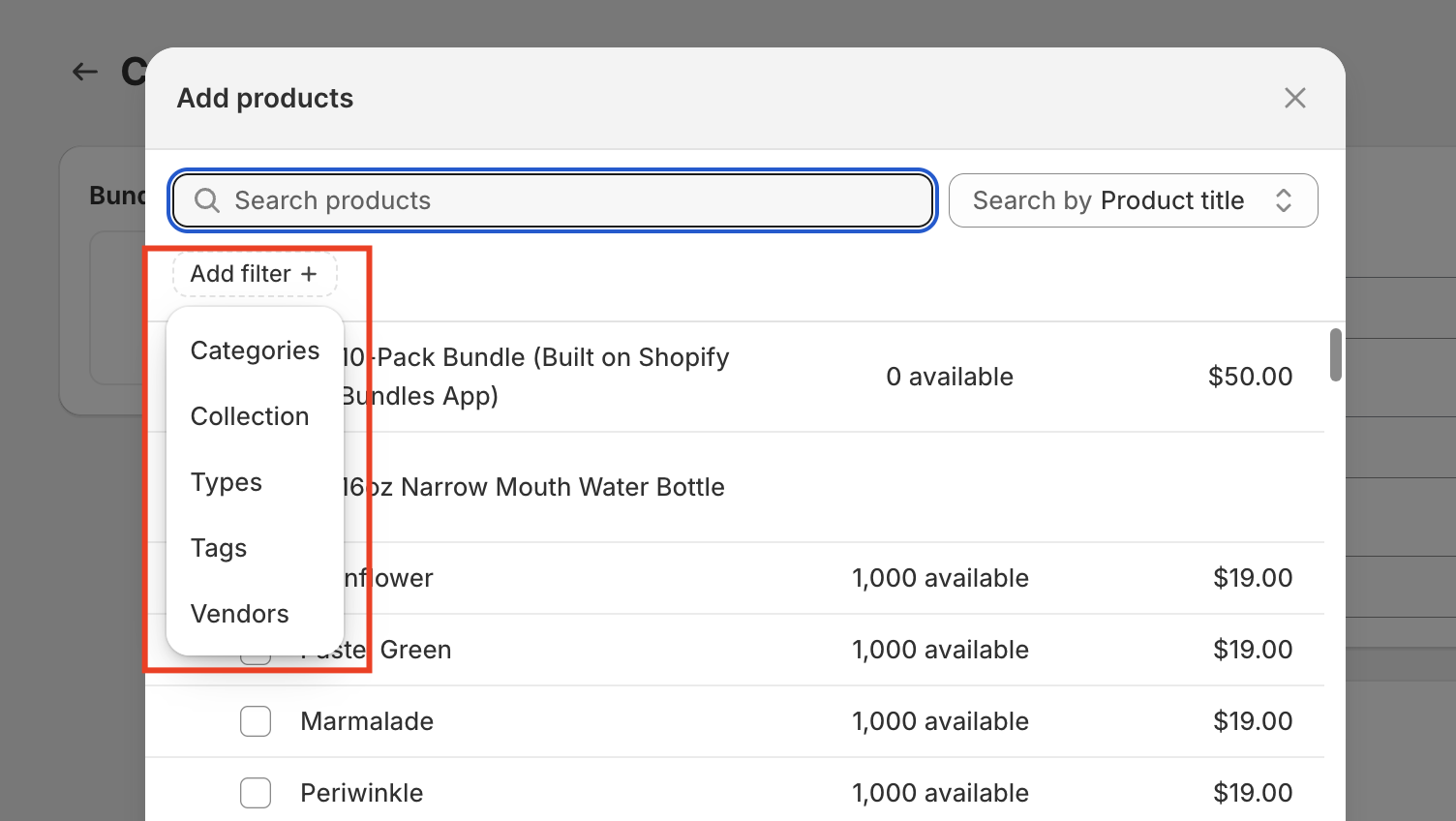
You can search using multiple product attributes, including product title, product ID, barcode, SKU, variant ID, and variant title, making it easier to locate specific items in your catalog.
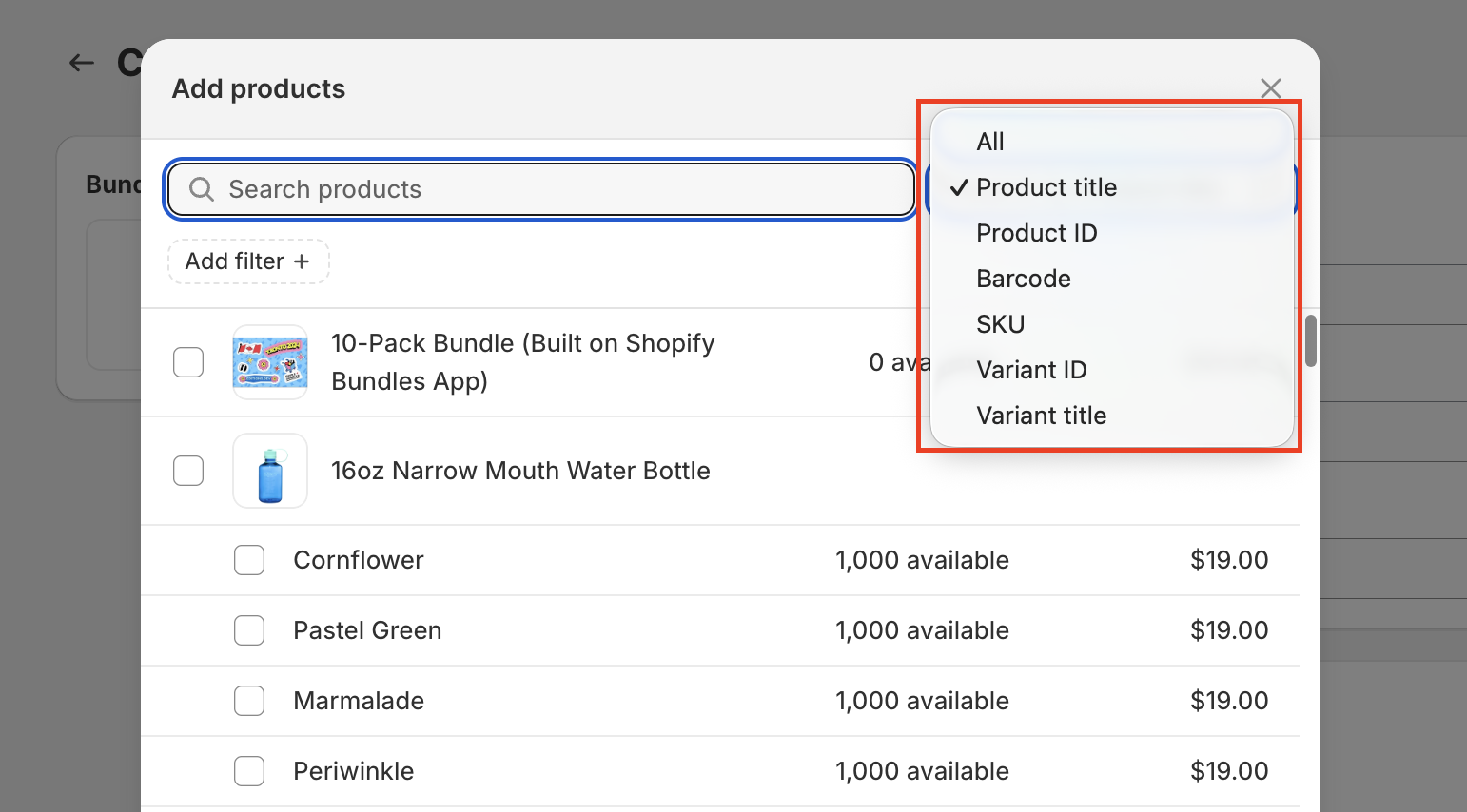
However, when searching by product title, especially in stores with a large catalog, it can sometimes be difficult to quickly find the exact product you’re looking for. This is particularly true when multiple products share similar names, as they will all appear in the search results.
Because of this, using search queries and filtering options effectively can help streamline your workflow. By refining your search, you can quickly narrow down results and locate the exact products you need without scrolling through long lists.
How to reorder components within a bundle
Once you've added components to a bundle, you can now reorder them directly using drag and drop, without needing to remove and re-add items to change their sequence.
This works the same way for Simple Bundle components as it already does for BYOB bundles. Simply click and hold a component within the bundle builder, then drag it up or down to place it in your preferred order. This is especially useful if you want your highest-priority or featured items to appear first, since the order components are listed in the app also reflects how they'll display at checkout.
This makes it much easier to manage and reorganize bundles with multiple components, without the extra step of deleting and rebuilding your component list from scratch.

How to use search queries to find products faster
To locate a specific product more efficiently, you can use Shopify’s search query format directly in the search bar.
For example:
title:"product title"
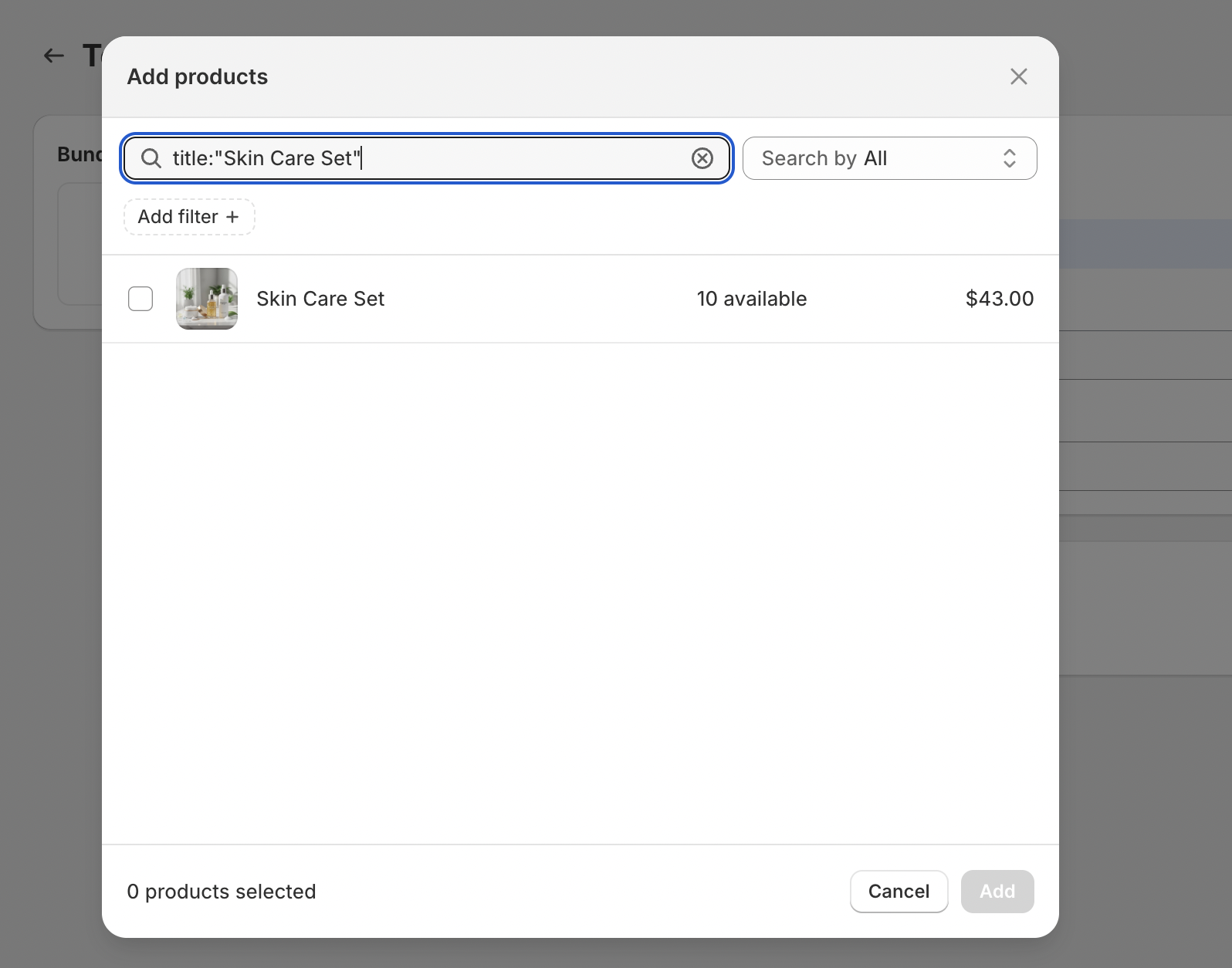
Using this format will return an exact match for the product title, helping you avoid scrolling through multiple similar results.
This is especially helpful when:
- You have many products with similar names
- You want to quickly locate a specific SKU or product
- You want to reduce setup time when manually building bundles
You can combine this method with other Shopify search filters to further refine your results depending on your needs. For more advanced filtering options, you can also refer to Shopify’s guide here.
How to sort and filter your bundles
You can easily search, filter, and sort your bundles directly from the Dashboard in Simple Bundles 2.0. These controls are located in the top corner of the bundles table, making it simple to manage your bundles in one place.
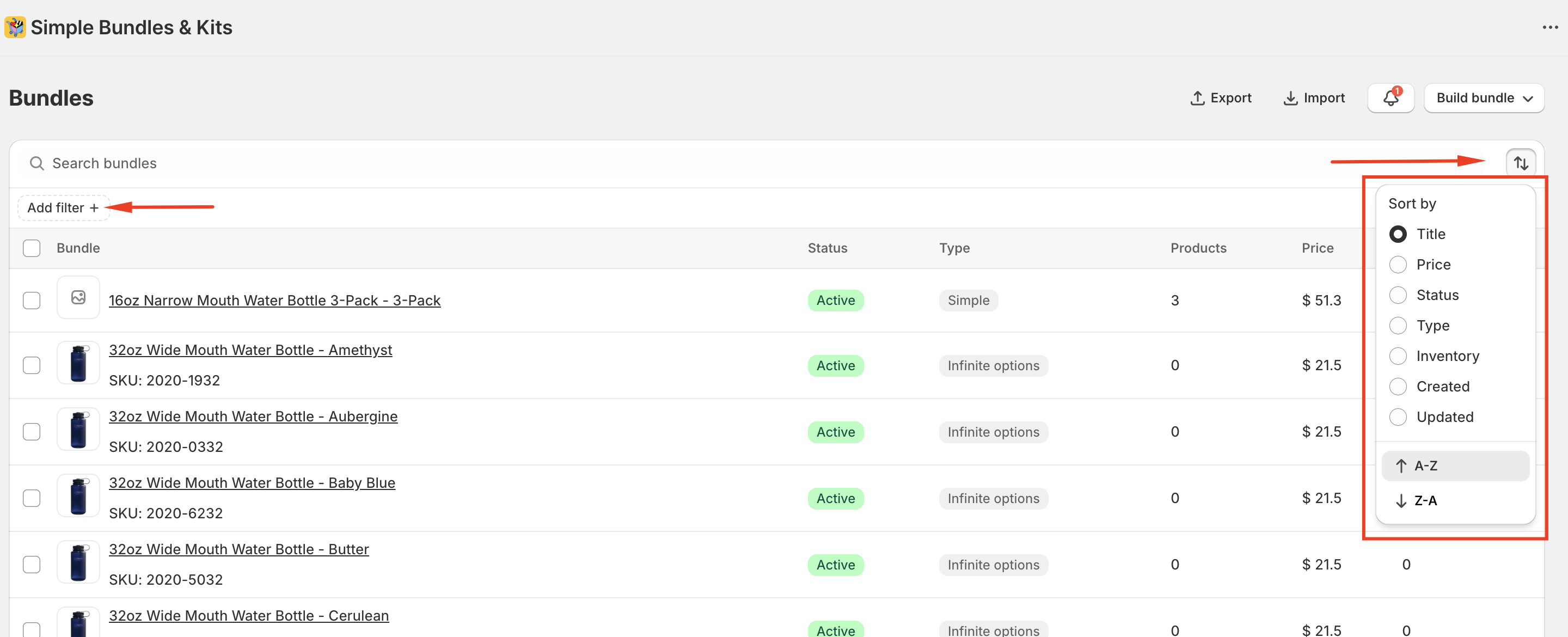
With these tools, you can quickly:
- Search for bundles by name using the search bar
- Filter bundles by status (such as Active or Draft) and by inventory settings
- Sort bundles to better organize and review them
These features are designed to help you efficiently locate, review, and manage your bundles without needing to navigate away from the main bundles table.
Note: This filtering feature is currently available only in Simple Bundles 2.0 and only for stores with fewer than 1,000 bundles.